
Digital Camera User Manual
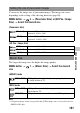
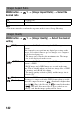
Table Of Contents
- Notes on using your camera
- Table of Contents
- Preparing the camera
- Before your operation
- Shooting images
- Using the shooting function
- Selecting the focus method
- Using autofocus
- Shooting with your desired composition (Focus-lock)
- Selecting the focus method to suit the movement of the subject (Autofocus Mode)
- Selecting the focus area (AF area)
- Adjusting the focus manually (Manual focus)
- Composing your shot using the image sensor (Focus check Live View)
- Checking the focus by enlarging the image
- Detecting faces
- Using the flash
- Adjusting the brightness of the image (Exposure, Flash compensation, Metering)
- Shooting with fixed brightness (AE Lock)
- Using brightness compensation for the entire image (Exposure compensation)
- Adjusting the amount of flash light (Flash Compensation)
- Selecting the flash control mode to set the amount of flash light (Flash control)
- Selecting the method for measuring the brightness of a subject (Metering Mode)
- Setting ISO
- Compensating for the brightness and contrast automatically (D-Range)
- Image processing
- Adjusting the color tones (White balance)
- Selecting the drive mode
- Selecting the focus method
- Using the viewing function
- Changing your setup
- Viewing images on a computer
- Printing images
- Others
- Index

145
Changing your setup
You can create a folder in a memory card for recording images.
A new folder is created with a number incremented one higher than the
largest number currently used, and the folder becomes the current recording
folder. A folder for still images and a folder for movies are created at the
same time.
MENU button t 1 t [New Folder]
Notes
• When you insert a memory card that was used with other equipment into the camera
and shoot images, a new folder may be automatically created.
• Up to 4 000 images can be stored in a folder. When the folder capacity is exceeded, a
new folder is created automatically.
When a standard form folder is selected and there are two or more folders,
you can select the recording folder to be used to record images.
MENU button t 1 t [Select REC Folder] t Select the
desired folder
Notes
• You cannot select the folder when you select the setting [Date Form].
• Movie (MP4) files are stored in the folder that has the same folder number as the
folder you selected for still images.
Note that formatting irrevocably erases all data on a memory card,
including protected images.
MENU button t 1 t [Format] t [Enter]
Notes
• During the format, the access lamp lights up. Do not eject the memory card while the
lamp is lit.
• Format the memory card using the camera. If you format it on a computer, the
memory card may not be usable with the camera, depending on the format type used.
Creating a new folder
Selecting the recording folder
Formatting the memory card