
User Guide Digital Single Lens Reflex Camera SLR-A100

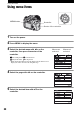
Table Of Contents
- Table of contents
- Notes on using your camera
- Basic techniques for better images
- Before your operation
- Using the shooting functions
- Using the viewing functions
- Using the menu
- Using your computer
- Printing images
- Troubleshooting
- Others
- Index

80
Using the menu
Using menu items
1 Turn on the power.
2 Press MENU to display the menu.
3 Select the desired menu with b/B on the
controller, then press the center of the
controller.
Recording menu Custom menu
Playback menu Setup menu
• When the desired menu is already displayed (the menu icon is
displayed on the extreme left), skip this step.
4 Select the page with b/B on the controller.
5 Select the desired item with v/V on the
controller.
Center of the controller
MENU button
Controller
Menu now
selected
Menus not
selected