
User Guide Digital Single Lens Reflex Camera SLR-A100
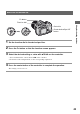
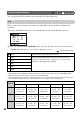
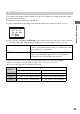
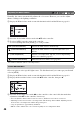
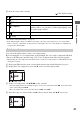
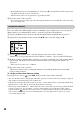

Table Of Contents
- Table of contents
- Notes on using your camera
- Basic techniques for better images
- Before your operation
- Using the shooting functions
- Using the viewing functions
- Using the menu
- Using your computer
- Printing images
- Troubleshooting
- Others
- Index

43
Using the shooting functions
1 Set the function dial to the desired position.
2 Press the Fn button so that the function screen appears.
3 Select the desired setting or value with v/V/b/B on the controller.
• You can substitute the control dial for b/B of the controller.
• For details on the setting method, see the corresponding explanation.
4 Press the center button of the controller to complete the operation.
The settings you select are set.
How to use the function dial
Function dial
Controller
Fn button
Center button/Spot AF
button