
User Guide Digital Single Lens Reflex Camera SLR-A100
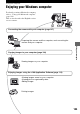
Table Of Contents
- Table of contents
- Notes on using your camera
- Basic techniques for better images
- Before your operation
- Using the shooting functions
- Using the viewing functions
- Using the menu
- Using your computer
- Printing images
- Troubleshooting
- Others
- Index

105
Using your computer
Using your computer
Enjoying your Windows computer
For details on using a Macintosh computer,
refer to “Using your Macintosh computer”
(page 120).
This section describes the English version
screen contents.
Connecting the camera with your computer (page 107)
Preparing the camera and the computer, and connecting the
camera and your computer
Copying images to your computer (page 108)
Viewing images on your computer
Enjoying images using the α100 Application Software (page 114)
•Viewing images saved on your computer
•Viewing photos organized by date
•Editing images
Printing images