
Operation Manual


69
Managing EPTT Groups and Contacts
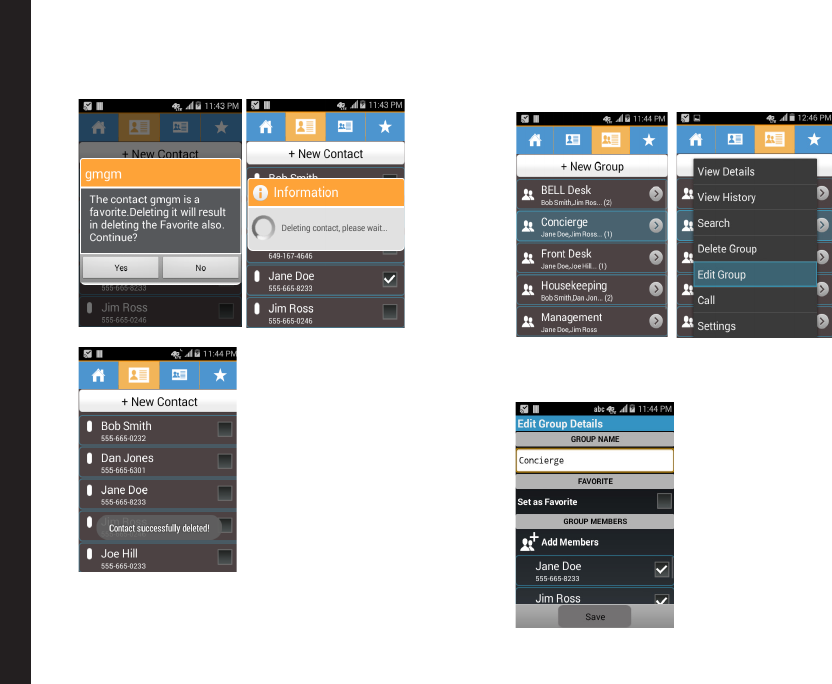
3. A conrmation message is displayed. Select Yes to
delete the selected contact. The selected contact is
deleted from the contact list.
Editing EPTT Group
1. Select a group from the list and tap on the Menu
option.
2. Select Edit Group to edit the Group Name,
Favorite. The user can add members and remove
members.