
Operation Manual


66
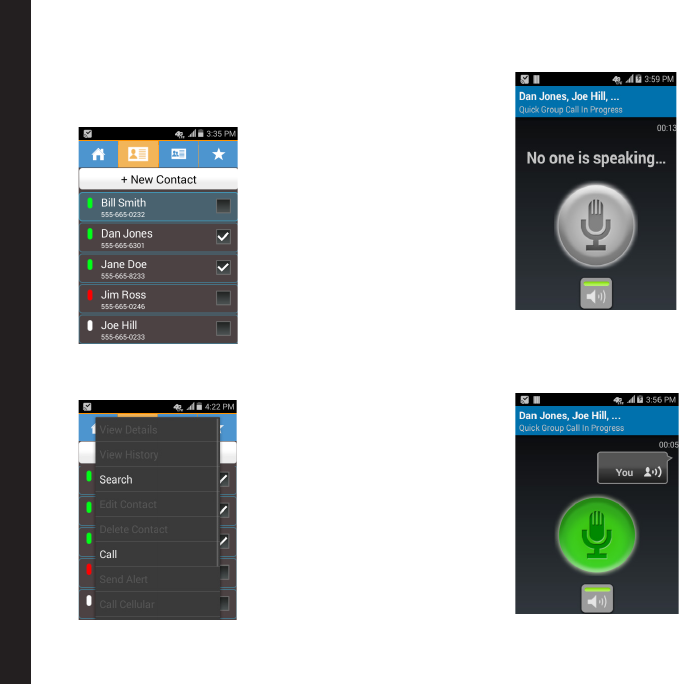
Making a Quick Group Call
1. Go to the Contacts screen and mark the contacts
you would like to include in your quick group EPTT
call.
2. Press the EPTT button or select Call from Menu
option to initiate the call to the selected members.
3. An on-screen EPTT call button appears.
4. Press and hold the EPTT button or hold the on-
screen EPTT call button to start the call. The call is
initiated to all the selected contacts. Start speaking
after you hear the chirp.
Making EPTT Calls to Individuals and Groups