
User's Manual Part 2





Installing a Certificate
Chapter 10: Working With VPNs 237
Installing a Certificate
A digital certificate is a secure means of authenticating the Safe@Office
appliance to other Site-to-Site VPN Gateways. The certificate is issued by the
C ateways, users, or computers.
Th provide verifiable
for
or i
en
ou
ertif
e p
S
ust
ertificate Authority (CA) to entities such as g
e entity then uses the certificate to identify itself and
in mation.
F nstance, the certificate includes the Distinguishing Name (DN)
(id tifying information) of the entity, as well as the public key (information
ab t itself). After two entities exchange and validate each other's
c icates, they can begin encrypting information between themselves using
th ublic keys in the certificates.
The afe@Office appliance supports certificates encoded in the PKCS#12
(Personal Information Exchange Syntax Standard) format. The PKCS#12 file
m have a ".p12" file extension
should have a unique certificate. Do not use the same certificate for
Note: To use certificates authentication, each Safe@Office appliance
more than one gateway.
If you do not have a PKCS#12, obtain it from your network security
To install a certificate
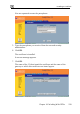
1. C ick VPN in the main menu, and click the Certificate tab.
administrator.
l