
User's Manual Part 2





Logging off a VPN Site
236 Check Point Safe@Office User Guide
• If when adding the VPN site you specified a network
configuration, fice appliance attempts to create a
tunnel to the VPN site.
gin
connection’s pr
• Once the Safe@ has finished connecting, the
Status field ch cted”.
• The VPN Login Status ally log
off of the VPN site.
Logging off a V
the Safe@Of
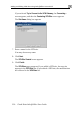
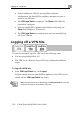
• The VPN Lo Status box appears. The Status field tracks the
ogress.
Office appliance
anges to “Conne
box remains open until you manu
PN Site
You need to manually ing cases:
• You are using Safe@Office 105.
s a Rem
in.
To log off a VPN si
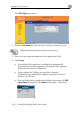
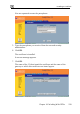
In the VPN Login Status box, click Logout.
All open tunnels from the Safe@Office appliance to the VPN site are
closed, and the VPN Login Status box closes.
log off a VPN site in the follow
• The VPN site i
Log
ote Access VPN site configured for Manual
te
•
Note: Closing the browser or dismissing the VPN Login Status box will also
terminate the VPN session within a short time.