
User's Manual Part 2





Enabling/Disabling a VPN Site
232 Check Point Safe@Office User Guide
/Dis a VPN Site Enabling
abling
to VPN sites that are enabled.
a VPN site
You can only connect
To enable/disable
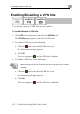
1. Click VPN in the m
The VPN Sites pag ars, with a list of VPN sites.
2. To enable a VPN site, do the following:
lick th
ain menu, and click the VPN Sites tab.
e appe
a. C e
ic d VPN site’s row.
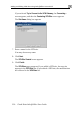
A confirmation message appears.
b. Click OK.
The icon changes to
on in the desire
, and the VPN site is enabled.
3. To disable a VPN
site, do the following:
topology.
Note: Disabling a VPN site eliminates the tunnel and erases the network
a. Click the icon in the desired VPN site’s row.
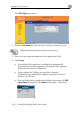
A confirmation message appears.
b. Click OK.
The icon changes to
, and the VPN site is disabled.