
User's Manual Part 2






Adding and Editing VPN Sites using Safe@Office 110 and 225
Chapter 10: Working With VPNs 225
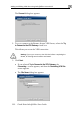
Warning: If you try to connect to the VPN site before completing the
wizard, all existing tunnels will be terminated.
2. Click Next.
• If you selected Try to Connect to the VPN Gateway, the following
things happen:
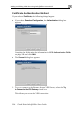
The Connecting… screen appears.
• The Contacting VPN Site screen appears.
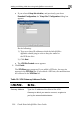
• The Site Name dialog box appears.
3. Enter a name for the VPN site.
You may choose any name.
4. To keep the tunnel to the VPN site alive even if there is no network
traffic between the Safe@Office appliance and the VPN site, select
Keep this site alive.
5. Click Next.