
User's Manual Part 2



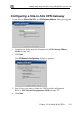

Adding and Editing VPN Sites using Safe@Office 110 and 225
Chapter 10: Working With VPNs 217
In this field… Do this…
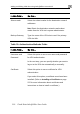
RSA SecurID
oken
Select this option to use an RSA SecurID token for
VPN authentication.
ter
SecurID passcode
SecurID is only supported in Remote Access manual
login mode.
T
When authenticating to the VPN site, you must en
a four-digit PIN code and the
shown in your SecurID token's display. The RSA
SecurID token generates a new passcode every
minute.
Table 31: VPN Login Fields
In this field… Do this…
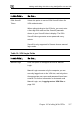
Manual Login Click this option to configure the site for Manual
Login.
Manual Login connects only the computer you are
en
e been
Manual Login, see, Logging on to a VPN Site on
currently logged onto to the VPN site, and only wh
the appropriate user name and password hav
entered. For further information on Automatic and
page 233.