
User's Manual Part 2



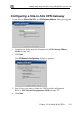

Adding and Editing VPN Sites using Safe@Office 110 and 225
Chapter 10: Working With VPNs 215
s
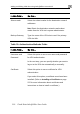
In this field… Do this…
Table 29: VPN Network Configuration Field
Download
C
Click this option to obtain the network configuration by
ology
onfiguration
downloading it from the VPN site.
This option will automatically configure your VPN
settings, by downloading the network top
definition from the Remote Access VPN Server.
Note: Downloading the network configuration is only
possible if you are connecting to a Check Point VPN-
1 or Safe@Office Site-to-Site VPN Gateway.
Specify
Configuration
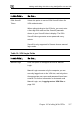
Click this option to provide the network configuration
oute All Traffic Click this option to route all network traffic through the
For example, if your VPN consists of a central office
and a number of remote offices, and the remote
offices are only allowed to access Internet resources
Note: You can only configure one VPN site to route all
traffic.
Destination network Type up to three destination network addresses at the
VPN site to which you want to connect.
manually.
R
VPN site.
through the central office, you can choose to route all
traffic from the remote offices through the central
office.