
User's Manual Part 2




Adding and Editing VPN Sites using Safe@Office 110 and 225
Chapter 10: Working With VPNs 211
Warning: If you try to connect to the VPN site before completing the
wizard, all existing tunnels will be terminated.
2) Click Next.
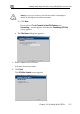
If you selected Try to Connect to the VPN Gateway, the
Connecting… screen appears, and then the Contacting VPN Site
screen appears.
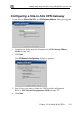
• The Site Name dialog box appears.
3.
You may choose any name.
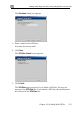
4. Click N
Created screen appears.
Enter a name for the VPN site.
ext.
The VPN Site