
User's Manual Part 2






Adding and Editing VPN Sites using Safe@Office 110 and 225
Chapter 10: Working With VPNs 207
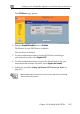
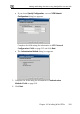
The Safe@Office VPN Site Wizard opens, with the Welcome to the VPN Site
Wizard dialog box displayed.
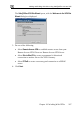
3. Do one of the following:
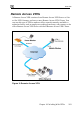
• Select Remote Access VPN to establish remote access from your
Remote Access VPN Client to a Rem cess VPN Server.
-to-Site VPN Gateway.
ncrypted connection to a PPPoE
server.
ote Ac
• Select Site to Site VPN to create a permanent bi-directional
connection to another Site
• Select PPPoE to create a non-e
4. Click Next.