
User's Manual Part 2

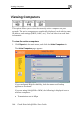




Viewing Computers
Chapter 6: Viewing Reports 145
mouse-over this icon to see the
following statistics:
Frames OK - The total number of frames that were successfully
transmitted and received
Errors - The total number of transmitted and received frames for
which an error occurred
Discarded/Dropped Frames - The total number of discarded or dropped
frames transmitted and received
Unicast Frames - The number of unicast frames transmitted and
received
Broadcast Frames - The number of broadcast frames transmitted an
received
• Signal strength in dB
• An information icon - You can
d
Multicast Frames - The number of multicast frames transmitted and
received
If y
com
security
ou are subsc reDesk, a status message next to each
puter indica he computer complies with the SecureDesk
level conditions. For information on SecureDesk, see Using
SecureDesk on page 183. For an explanation of the status messages, see
a
e excee y your
e, a warnin de
limit are marked mputers are still protected, but they are
blocked from accessing the Internet through the Safe@Office appliance.
ribed to Secu
tes whether t
SecureDesk St tus Messages on page 191.
If you ar
licens
ding the maximum number of computers allowed b
g message appears, and the computers over the no
in red. These co
Note: Com
counted f y the
firewall.
puters that did not communicate through the firewall are not
or node limit purposes, even though they are protected b