
User's Manual Part 2





Disconnecting from Your Service Center
172 Check Point Safe@Office User Guide
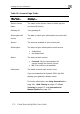
Your Service Center Web site opens.
3. Follow the on-screen instructions.
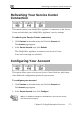
Disconnecting from Your Service Center
If desired, you can disconnect from your Service Center.
To disconnect from your Service Center
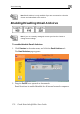
1. Click Services in the main menu, and click the Account tab.
The Account page appears.
2. In the Service Account area, click Connect.
The Safe@Office Services Wizard opens, with the first Subscription
Services dialog box displayed.
3. Clear the Connect to a different Service Center check box.
4. Click Next.
The Done screen appears with a success message.
5. Click Finish.
The following things happen:
• You are disconnected from the Service Center.
• The services to which you were subscribed are no longer available
on your Safe@Office appliance.
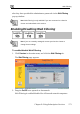
Web Filtering
When the Web Filtering service is enabled, access to Web content is
restricted according to the categories specified under Allow Categories.
Authorized users will be able to view Web pages with no restrictions, only