
User's Manual Part 2




Connecting to a Service Center
168 Check Point Safe@Office User Guide
of services to
which you are subscribed.
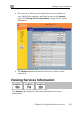
• The Confirmation dialog box appears with a list
ck Next. 6. Cli
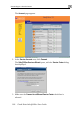
The Done screen appears with a success message.
7. Click Finish.
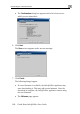
The following things happen:
• If a new firmware is available, the Safe@Office appliance may
start downloading it. This may take several minutes. Once the
download is complete, the Safe@Office appliance restarts using
the new firmware.
• The Welcome page appears.