
User's Manual Part 2




Using Rules
160 Check Point Safe@Office User Guide
Tabl
In th
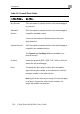
e 24: Firewall Rule Fields
is field… Do this…
Any Serv
e.
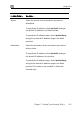
ice Click this option to specify that the rule should apply to
any servic
Stand d
Service
u must then select the desired service from the
drop-down list.
Custo
specific non-standard service.
abled. You
Protocol Select the protocol (ESP, GRE, TCP, UDP or ANY) for
which the rule should apply.
P To specify the port range to which the rule applies,
type the start port number in the left text box, and the
n the right text box.
No t enter a port range, the rule will apply
to all ports. If you enter only one port number, the
ra
ar Click this option to specify that the rule should apply to
a specific standard service.
Yo
m Service Click this option to specify that the rule should apply to
a
The Protocol and Port Range fields are en
must fill them in.
orts
end port number i
te: If you do no
nge will include only that port.