
User's Manual Part 2




Using Rules
158 Check Point Safe@Office User Guide
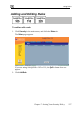
e wizard opens, with the Step 1: Rule Type
dialog box displayed.
The Safe@Office Firewall Rul
3. Select the type of rule you want to create.
4. Click Next.
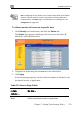
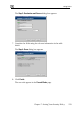
The Step 2: Service dialog box appears.
The example below shows an Allow rule.
5. m
l
6. Cli
Co plete the fields using the relevant information in the table
be ow.
ck Next.