
User's Manual Part 2




Using Rules
154 Check Point Safe@Office User Guide
column…
In this Do this…
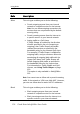
VPN Only Select this option to allow only connections made
through a VPN.
H e
computer to host the service.
ost IP Type the IP address of the computer that will run th
service (one of your network computers) or click the
corresponding This Computer button to allow your
To stop
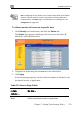
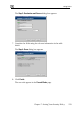
1. Click in the main menu, and click the tab.
ervices and a host IP
2. on’s row, click .
The field of the desired service is cleared.
3. Click Apply.
The service or application is not allowed on the specific host.
Using Rules
the forwarding of a service to a specific host
Security Servers
The Servers page appears, displaying a list of s
address for each allowed service.
ClearIn the desired service or applicati
Host IP
The Safe@Office appliance checks the protocol used, the ports range, and the
destination IP address, when deciding whether to allow or block traffic. B
s all
l
out
y
default, in the Medium security level, the Safe@Office appliance block
connection attempts from the Internet (WAN) to the LAN, and allows al
going connection attempts from the LAN to the Internet (WAN).