
User's Manual Part 2



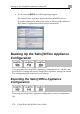




Resetting the Safe@Office Appliance to Defaults
278 Check Point Safe@Office User Guide
ice appliance to
) or by man utton
he Safe Office appliance.
pliance to
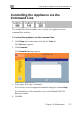
Click Setup in the main menu, and click
The Tools page appears.
ppears.
You can reset the Safe@Off
management interface (software
(hardware) located at the back of t
To reset the Safe@Office ap
Web interface
defaults via the Web
ually pressing the Reset b
@
factory defaults via the
the Tools tab. 1.
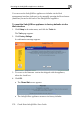
2. Click Factory Settings.
A confirmation message a
3. To revert to the firmware versio
select the check box.
4. Click OK.
• The
n that the appliance,
Please Wait screen appears.
shipped with
• The Safe@Office appliance returns to its factory defaults.