
User's Manual Part 2

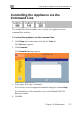


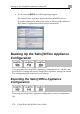




Backing Up the Safe@Office Appliance Configuration
276 Check Point Safe@Office User Guide
Importing the Safe@Office Appliance
Configuration
In order to restore your Safe@Office appliance’s configuration from a
configuration file, you must import the file.
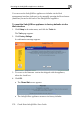
To import the Safe@Office appliance configuration
1. Click Setup in the main menu, and click the Tools tab.
The Tools page appears.
2. Click Import.
The Import Settings page appears.
3. Do one of the following:
• In the Import Settings field, type the full path to the configuration
file.
Or
• Click Browse, and browse to the configuration file.
4. Click Upload.