
User's Manual Part 2







Backing Up the Safe@Office Appliance Configuration
274 Check Point Safe@Office User Guide
• If you selected WHOIS ings happ
The Safe@Office appliance queries the Internet WHO r.
A window displays the name of the entity to whom the IP address or
DNS name is registered and their contact information.
, the following th en:
IS serve
ion
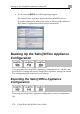
Backing Up the Safe@Office Appliance
Configurat
You can export the Sa
use this file to backu
fe@Office appliance configuration to a *.cfg file, and
p and restore Safe@Office app s needed.
cludes all your settings.
e Safe@Office Appliance
Configuration
liance settings, a
The configuration file in
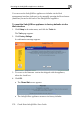
Exporting th
Exporting the Safe@Office appliance configuration creates a configuration
file.