
User's Manual Part 2



Setting the Time on the Appliance
Chapter 12: Maintenance 269
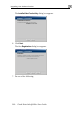
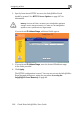
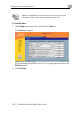
The Safe@Office Set Time Wizard opens displaying the Set the Safe@Office
time dialog box.
3. Complete the fields using the information in the table below.
Next.
sele an fy D
dialog box
4. Click
The following things happen in the order below:
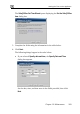
• If you cted Specify date
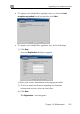
appears.
d time, the Speci ate and Time
Set the date, time, and time zone in the fields provided, then click
Next.