
User's Manual Part 2




Configuring Servers
152 Check Point Safe@Office User Guide
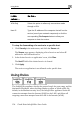
To change the firewall security level
The Firewall p
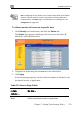
1. Click Security in the main menu, and click the Firewall tab.
age appears.
2. Drag the securi
The Safe@Of
Configurin
ty lever to the desired level.
fice appliance security level changes accordingly.
g Servers
Note: If
Server, network, you can skip this section.
Using the Safe@Office Portal, you can selectively allow incoming network
connections into your network. For example, you can set up your own Web
server, Mail server or FTP server.
you do not intend to host any public Internet servers (Web
Mail Server etc.) in your