
User's Manual Part 2



Setting the Time on the Appliance
Chapter 12: Maintenance 267
S
o
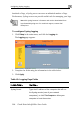
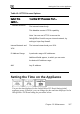
Table 41: HTTPS Access Options
elect this
ption…
To allow HTTPS access from…
Internal Network
The internal network only.
This disables remote HTTPS capability.
Note You can use HTTPS to access the
your internal netw
:
Safe@Office Portal from ork, by
surfing to https://my.firewall.
In n
VPN
IP Ad
n enter
ter al Network and The internal network and your VPN.
dress Range A particular range of IP addresses.
Additional fields appear, in which you ca
the desired IP address range.
ANY Any IP address.
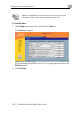
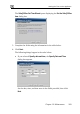
Setting the Time on the Appliance
You set the time displayed in the Safe@Office 225 Portal during initial
appliance setup. If desired, you can change the date and time displayed in the
Safe@Office 225 Portal using the procedure below.