
User's Manual Part 2



Configuring HTTPS
266 Check Point Safe@Office User Guide
e Portal
ge 267 for
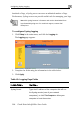
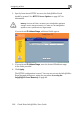
2. Specify from where HTTPS access to the Safe@Offic
should be granted. See HTTPS Access Options on pa
information.
Warning: If remote HTTPS is enabled, your Safe@Office appliance
settings can be changed remotely, so make sure all Safe@Office
appliance users’ passwords are unguessable.
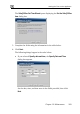
If you selected IP Address Range, additional fields appear.
3. If you selected IP Address Range, enter the desired IP address range
4.
in the fields provided.
Click Apply.
The HTTPS configuration is saved. You can now access the Safe@Office
Portal through the Internet, using the procedure Accessing the
Safe@Office Portal Remotely on page 49.