
User's Manual Part 2




Upgrading Your Software Product
Chapter 12: Maintenance 259
on your existing Safe@Office appliance. Likewise, you can upgrade from
Safe@Office 225 to 225U without changing your hardware.
Note: You can only upgrade within the same appliance hardware type.
To upgrade your product, you must install th
Note: To purchase an upgrade, contact your Safe@Office appliance
provider.
e new Product Key.
To
e main menu, and click the Firmware tab.
de Product.
ens, with the Install Product Key
dialog box displayed.
install a Product Key
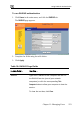
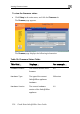
1. Click Setup in th
The Firmware page appears.
2. Click Upgra
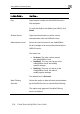
The Safe@Office Licensing Wizard op
3. Click Enter a different Product Key.
4. In the Product Key field, enter the new Product Key.
5. Click Next.