
User's Manual Part 2




Upgrading Your Software Product
258 Check Point Safe@Office User Guide
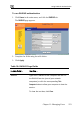
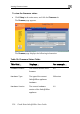
The Firmware Update page appears.
3. Click Browse.
A browse window appears.
4. Select the image file and click Open.
Your Safe@Office appliance firmware is updated. This may take a few
of the process the Safe@Office appliance restarts
Upgrading Your Software Product
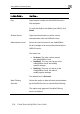
The Firmware Update page reappears. The path to the firmware update
image file appears in the Browse text box.
5. Click Upload.
minutes. At the end
autom ly. atical
Upgrading your Safe@Office appliance is a very simple process. After
pur receive a new Product Key that will enable
you on the same Safe@Office appliance you
ng Safe@Office 105, you can
purchase an upgrade to Safe@Office 110 and enjoy extended VPN features
chasing an upgrade, you will
to use the upgraded product
have today. For example, if you are usi