
User's Manual Part 2




Updating the Firmware
Chapter 12: Maintenance 257
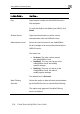
This field… Displays… For example…
Installed Product The licensed software and
the number of allowed
nodes
Safe@Office 225
unlimited nodes
Uptime The time that elapsed from
the moment the unit was
turned on
01:21:15
Updating the Firmware
If y es, firmware updates are performed
autom w product features and protection
against n w security threats. Check with your reseller for the availability of
Soft ng to
ser e
If y pdate
your fi
To firmware manually
Setup Firmware
ou are subscribed to Software Updat
atically. These updates include ne
e
ware Updates and other services. For information on subscribi
vic s, see Connecting to a Service Center on page 165.
ou are not subscribed to the Software Updates service, you must u
rmware manually.
update your Safe@Office
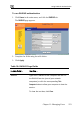
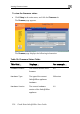
1. Click in the main menu, and click the tab.
The Firmware page appears.
2. Click Firmware Update.