
User's Manual Part 2




Using RADIUS Authentication
Chapter 11: Managing Users 253
To
1. Cli
Th
use RADIUS authentication
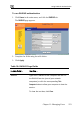
ck Users in the main menu, and click the RADIUS tab.
e RADIUS page appears.
2. Complete the fields usi
3. Click Apply.
ng the table below.
Table 38: RADIUS Page Fields
In this field… Do this…
Address Type the IP address of the computer that will run
mputers) or click the corresponding This
Computer button to allow your computer to host the
service.
the RADIUS service (one of your network
co
To clear the text box, click Clear.