
User's Manual Part 2




Deleting Users
Chapter 11: Managing Users 251
Do this… In this field…
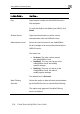
Web Filtering Select this option to allo
Override
w the user to override
Web Filtering.
This option only appears if the Web Filtering
ged for the “admin”
user.
service is defined.
This option cannot be chan
Deleting Users
Note: The “
lete a user
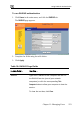
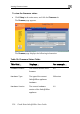
1. Click Users in th
The Internal User
2. In the desired user’s
admin” user cannot be deleted.
To de
e main menu, and click the Internal Users tab.
s page appears.
row, click the Delete
icon.
ppears.
A confirmation message a
3. Click OK.
The user is deleted.