
User's Manual Part 2






Changing Your Password
Chapter 11: Managing Users 245
Chapter 11
This chapt ow to manage Safe@Office appliance users. In
Safe@Office 105, there is a single user called "admin", whose password can
d 225, you can define multiple users and
...................................................................245
Adding Users......................................................................................248
Viewing and Editing Users.................................................................248
Deleting Users ....................................................................................251
Setting Up Remote VPN Access for Users.........................................252
Using RADIUS Authentication..........................................................252
Changing Your Password
You can change your password at any time. How this task is performed
depends on the Safe@Office model you are using.
U
er describes h
be changed; in Safe@Office 110 an
assign them various permissions.
This chapter includes the following topics:
Changing Your Password
sing Safe@Office 105
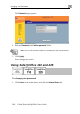
To change your pa
d in th
rs
ssword
1. Click Passwor e main menu.
Managing Use