
User's Manual Part 1




Using Internet Setup
Chapter 4: Configuring the Internet Connection 79
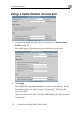
Using No Connection
If you are using Safe@Office 110 or 225, and you do not have a secondary
nInternet connectio , set the connection type to None.
• Click Apply.
Internet
…
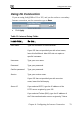
Table 12: Setup Fields
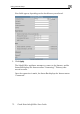
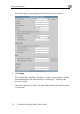
In this field Do this…
Host Name Type the hostname for authentication.
If your ISP has not provided you with a host name,
leave this field blank. Most ISPs do not require a
specific hostname.
U
Password Type your password.
Confirm p sword.
Servi ervice name.
you with a service
field empty.
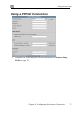
Server IP If you selected PPTP, type the IP address of the
ver as given by your ISP.
n by Telstra.
sername Type your user name.
ass Type your pasword
ce Type your s
If your ISP has not provided
name, leave this
PPTP ser
If you selected Telstra (BPA), type the IP address of
the Telstra authentication server as give