
User's Manual Part 1




Using Internet Setup
74 Check Point Safe@Office User Guide
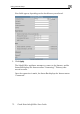
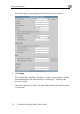
New fields appear, depending on the check boxes you selected.
2. Click Apply
Th
.
e Safe@Office appliance attempts to connect to the Internet, and the
Status Bar displays the Internet status “Connecting”. This may take
econds.
Once the connection is made, the Status Bar displays the Internet status
“Connected”.
several s