
User's Manual Part 1




Using Internet Setup
72 Check Point Safe@Office User Guide
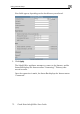
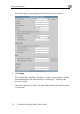
New fields appear, depending on the check boxes you selected.
2. Click Apply.
The Safe@Offic et, and the
Status Bar displ y take
several seconds.
Once the connection is made, the Status Bar displays the Internet status
“Connected”.
e appliance attempts to connect to the Intern
ays the Internet status “Connecting”. This ma