
User's Manual Part 1





Using the Safe@Office Portal
52 Check Point Safe@Office User Guide
Main Menu
nu ng submenus.
n Menu Sub
This
submenu…
Does this…
The main me includes the followi
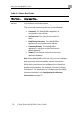
Table 8: Mai menus
Welcome Displays the welcome information.
Reports P vent
l tive
c
Security P ecurity
o e network.
Services
Network
Setup for managing your
Safe@Office appliance. Allows you to upgrade your
product key and firmware and to configure HTTPS
access to your Safe@Office appliance.
Password Allows you to set your password.
This submenu only appears in Safe@Office 105.
rovides reporting capabilities in terms of e
acogging, established connections, and
omputers.
rovides controls and options for setting the s
f any computer in th
Allows you to control your subscription to
subscription services.
Allows you to manage and configure your network
settings and Internet connections.
Provides a set of tools