
User's Manual Part 1





Initial Login to the Safe@Office Portal
46 Check Point Safe@Office User Guide
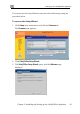
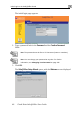
The initial login page appears.
2. Type a password both in the Password and the Confirm Password
fields.
Note: The password must be five to 25 characters (letters or numbers).
Note: You can change your password at any time. For further
information, see Changing Your Password on page 245.
3. Click O
The Safe@Office Setup Wizard opens, with the Welcome screen displayed.
K.