
User's Manual Part 1


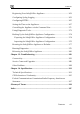

Contents
ii Check Point Safe@Office User Guide
Rear Panel.................................................................................................20
Front Panel................................................................................................22
About This Guide .........................................................................................24
Contacting Technical Support ......................................................................24
Chapter 2: Installing and Setting up the Safe@Office Appliance..............25
Before You Install the Safe@Office Appliance............................................25
Windows 2000/XP....................................................................................26
Windows 98/Millennium..........................................................................31
Mac OS.....................................................................................................37
Wall Mounting the Appliance.......................................................................38
Network Installation .....................................................................................40
Setting Up the Safe@Office Appliance........................................................41
Chapter 3: Getting Started ............................................................................45
Initial Login to the Safe@Office Portal........................................................45
Logging on to the Safe@Office Portal .........................................................47
Accessing the Safe@Office Portal Remotely ...............................................49
Using the Safe@Office Portal ......................................................................50
Main Menu ...............................................................................................52
Main Frame...............................................................................................53
Status Bar..................................................................................................53
Logging off...................................................................................................56
Chapter 4: Configuring the Internet Connection ........................................57
Overview ......................................................................................................57
Using the Internet Wizard.............................................................................58
Using a Direct LAN Connection ..............................................................60
Using a Cable Modem Connection...........................................................61