
User's Manual Part 1







Using Traffic Shaper
124 Check Point Safe@Office User Guide
The Step 3 of 3: Save dialog box appears with a summary of the class.
7. Type a name for the class.
connections, you can name the class "High Priority Web".
ss appears in the Quality of Service Classes page.
Table 16: QoS Class Fields
In this field… Do this…
For example, if you are creating a class for high priority Web
8. Click Finish.
The new cla
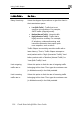
Relative Weight Type a value indicating the class's importance
relative to the other defined classes.
For example, if you assign one class a weight of
100, and you assign another class a weight of 50,
the first class will be allocated twice the amount of
es are
When you complete this field, the Guaranteed Rate
field is filled in automatically.
bandwidth as the second hen the lin
congested.
w