
User's Manual Part 1







Using Traffic Shaper
122 Check Point Safe@Office User Guide
ding and Editing a Class
Note: If you do not assign a connection type to a class, Traffic Shaper
automatically assigns the connection type to the built-in "Default" class.
Ad
s To add or edit a QoS clas
1. Click Network in the main menu, and click the Traffic Shaper tab.
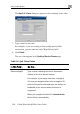
The Quality of Service Classes page appears.
2. Click Add.