
User's Manual Part 1







Using Traffic Shaper
120 Check Point Safe@Office User Guide
own list,
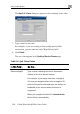
e. In the Virtual Router IP field, type the default gateway IP
address.
dress you
f. Click Apply.
Using T
d. In the LAN area, in the High Availability Mode drop-d
select Backup.
This address must be identical to the Virtual Router IP ad
specified when configuring the Master gateway.
A success message appears.
raffic Shaper
er is a bandwTraffic Shap idth management solution that allows you to set
bandwidth policies to control the flow of communication. Traffic Shaper
dence over less important traffic, so
n with minimum disruption, despite
Tra y to access and analyze data
on layers. This data is used to classify traffic in
ality of Service (QoS) classes. Traffic Shaper
div e classes according to weight. For
Web traffic is deemed three times as important as FTP
e services are assigned weights of 30 and 10 respectively. If
the lines are congested, Traffic Shaper will maintain the ratio of bandwidth
1.
dth, the leftover bandwidth is
divided among the remaining classes, in accordance with their relative
weights. In the example above, if only one Web and one FTP connection are
activ they are competing, the Web connection will receive 75% (30/40)
)
ction
.
ensures that important traffic takes prece
that your business can continue to functio
network congestion.
ffic Shaper uses Stateful Inspection technolog
derived from all communicati
up to eight user-defined Qu
ides available bandwidth among th
example, suppose
traffic, and thes
allocated to Web traffic and FTP traffic at 3:
If a specific class is not using all of its bandwi
e and
of the leftover bandwidth, and the FTP connection will receive 25% (10/40
of the leftover bandwidth. If the Web connection closes, the FTP conne
will receive 100% of the bandwidth