
Operation Manual


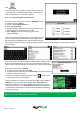


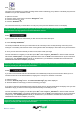


30
Return to contents
3.15
TMC(TrafcMessageChannel)SyriusProlineOnly
Mounting the Antenna: The antenna is connected to the Syrius Proline via the TMC socket on the base of the unit, the
antenna should be attached to the windscreen using the suckers provided.
The positioning of the antenna will affect the reception of TMC ‘alerts’ (see diagrams below for positioning guidance)
TMC Options
The type of alerts you receive whilst using TMC can be edited in the conguration menu of the Syrius Proline. To access
the menu press the centre of the display, then press
then
and then
.
The following options are displayed:
The options can be deselected by pressing the
– the box will be displayed with the red tick removed . To nalize
your selection press
TMC Icon
Once the unit starts to receive any TMC alerts one of the two following icons will appear on the main screen
This icon appears if the Syrius Proline has received TMC information but the delay or incident is not on your route.
This icon appears if the Proline has received TMC information and the delay or incident affects your plotted route.
To show the TMC incident press the icon and the following screen is displayed:
Using the ‘down
arrow’ will reveal
more options
Distance from your
current location to the
incident
Icon which will appear
on map
Direction of event Road Number Road Name
Type of event
Refresh
Scroll
Windscreen
Steering
Wheel
Navi
Windscreen
Steering
Wheel
Windscreen
Steering
Wheel
Navi
Windscreen
Steering
Wheel
Navi Navi
Windscreen
Steering
Wheel
Navi
Windscreen
Steering
Wheel
Windscreen
Steering
Wheel
Navi
Windscreen
Steering
Wheel
Navi Navi
Windscreen
Steering
Wheel
Navi
Windscreen
Steering
Wheel
Windscreen
Steering
Wheel
Navi
Windscreen
Steering
Wheel
Navi Navi
Windscreen
Steering
Wheel
Navi
Windscreen
Steering
Wheel
Windscreen
Steering
Wheel
Navi
Windscreen
Steering
Wheel
Navi Navi
GOOD BAD