
Users Manual




iGlucose® 21
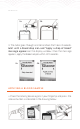
press the “Home” button to select. The year appears. Use the “
” or “ ” button to change the year as needed. Press the “Home”
button to select and move on to the month.
4.
Scroll using the “ ” or “ ” button to change the month
as needed. Press the “Home” button to select and move to
the day.
5.
Scroll using the “ ” or “ ” button to change the day as
needed. Press the “Home” button. A “Done” confirmation
message appears.
6.
To set the time, in the “Date and time” menu scroll to “Set
time” by using the “ ” or “ ” button and press the “Home”
button to select. The hour appears. Use the Settings “ ” or
“ ” button to change the hour as needed. Press the “Home”
button to select and move on to the minute.
7.
Scroll using the “ ” or “ ” button to change the minute
as needed. Press the “Home” button. A “Done” confirmation
message appears.
8.
To exit the Settings menu, press the “ ” or “ ” button to
scroll to the “Back” option and press the “Home” button to select
and exit the menu.
setting the format for the date or time
1.
Press briefly the “ ” button on the device. The Settings menu
appears.
2. Scroll to the “Date and time” option by using the “ ” or “ ”
button and press the “Home” button to select. The “Date and
time” menu appears.