
SI4548-US-10 Manual



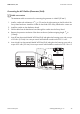

Table Of Contents
- 1 Information on this Manual
- 2 Sunny Island 4548-US/6048-US
- 3 Safety Precautions
- 4 Assembly
- 5 Opening and Closing
- 6 Electrical Connection
- 7 Control Elements
- 8 Initial Start-Up
- 9 Switching On and Off
- 10 Operation
- 11 Archiving Data on an SD Card
- 12 Additional Functions
- 12.1 Load Shedding
- 12.2 Sleep Mode
- 12.3 Time-Controlled Operation
- 12.4 Overload and Short-Circuit Behavior
- 12.5 Mixed Operation with Sunny Island inverters of Different Power
- 12.6 Device Faults and Autostart
- 12.7 Automatic Frequency Synchronization
- 12.8 Time-Controlled Standby
- 12.9 Behavior in the Event of a Failure in a Three-Phase System
- 13 Battery Management
- 14 Connecting External Sources
- 14.1 Generator
- 14.1.1 Parallel Connection
- 14.1.2 Generator Start Options
- 14.1.3 Generator Operation
- 14.1.4 Manual Generator Operation
- 14.1.5 Automatic Generator Operation
- 14.1.6 Limits and Power Control
- 14.1.7 Run Times
- 14.1.8 Operation Together with PV Inverters and Wind Power Inverters
- 14.1.9 Stopping the Generator
- 14.1.10 Stopping the Sunny Island
- 14.1.11 Disturbances
- 14.2 Grid
- 14.2.1 Limits of the Voltage Range and Frequency Range
- 14.2.2 Starting the Sunny Island
- 14.2.3 Operation in the Event of Grid Failure in a Grid-Tie Backup Configuration
- 14.2.4 Backup Operation and Anti-Islanding
- 14.2.5 Grid Reconnection
- 14.2.6 Grid Operation
- 14.2.7 Grid Failure
- 14.2.8 Disturbances
- 14.2.9 Limits and Power Control
- 14.2.10 Operation Together with PV Inverters and Wind Power Inverters
- 14.3 Generator and Grid
- 14.1 Generator
- 15 Relays
- 16 Multicluster Operation
- 16.1 Communication between the Sunny Island inverters
- 16.2 Initial Start-Up of the Multicluster System
- 16.3 Switching a Multicluster System On and Off
- 16.4 Generator Operation
- 16.5 Behavior with Different States of Charge
- 16.6 Testing the Multicluster Communication
- 16.7 Automatic Frequency Synchronization
- 16.8 Updating the Firmware
- 16.9 Error Handling in the Multicluster System
- 16.10 Grid Operation
- 16.11 Generator Emergency Operation
- 17 PV Inverters
- 18 Maintenance and Care
- 19 Parameter Lists
- 20 Troubleshooting
- 21 Accessories
- 22 Technical Data
- 23 Glossary
- 24 Contact

SMA America, LLC 6 Electrical Connection
Technical description SI4548_6048-US-TB_en-13 43
6.2.3 Cable Protection
The DC circuit breaker in the Sunny Island can interrupt DC currents of up to 10 kA. In addition to the
internal DC circuit breakers, install a separate, external fuse as close as possible to the battery. Install
a fuse link for the fuse suitable for the maximum occurring DC currents.
6.2.4 Connecting the Sunny Island on the DC Side
Requirements
• One conduit with a diameter of 1
1
/
2
in. (38.1 mm) is installed at the opening in the middle of
the Sunny Island (see Section 6.1 "Grounding", page 39).
• The conduit is attached inside the Sunny Island with a suitable nut.
Installing the DC Connection
1. Pull the positive DC cable through the conduit from the distribution board into the enclosure of
the Sunny Island.
2. Pull the negative DC cable through the conduit from the distribution board into the enclosure of
the Sunny Island.
3. Remove the coating.
4. Strip the insulation from the DC cables.
Electric shock resulting from insufficient protection of the DC cables. Death or serious burns.
• Check whether external cable protection is present.
• If no external cable protection is present, observe the following:
– Lay the DC cables so that ground faults and short-circuits cannot occur.
– Install the additional current limiting fuse outside of the Sunny Island. When doing so,
observe all locally applicable standards and directives.
Danger to life due to electric shock
• Connect the external fuse and the battery cable to the battery only after all installation work
has been completed.