
SI4548-US-10 Manual

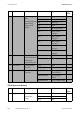
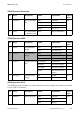


Table Of Contents
- 1 Information on this Manual
- 2 Sunny Island 4548-US/6048-US
- 3 Safety Precautions
- 4 Assembly
- 5 Opening and Closing
- 6 Electrical Connection
- 7 Control Elements
- 8 Initial Start-Up
- 9 Switching On and Off
- 10 Operation
- 11 Archiving Data on an SD Card
- 12 Additional Functions
- 12.1 Load Shedding
- 12.2 Sleep Mode
- 12.3 Time-Controlled Operation
- 12.4 Overload and Short-Circuit Behavior
- 12.5 Mixed Operation with Sunny Island inverters of Different Power
- 12.6 Device Faults and Autostart
- 12.7 Automatic Frequency Synchronization
- 12.8 Time-Controlled Standby
- 12.9 Behavior in the Event of a Failure in a Three-Phase System
- 13 Battery Management
- 14 Connecting External Sources
- 14.1 Generator
- 14.1.1 Parallel Connection
- 14.1.2 Generator Start Options
- 14.1.3 Generator Operation
- 14.1.4 Manual Generator Operation
- 14.1.5 Automatic Generator Operation
- 14.1.6 Limits and Power Control
- 14.1.7 Run Times
- 14.1.8 Operation Together with PV Inverters and Wind Power Inverters
- 14.1.9 Stopping the Generator
- 14.1.10 Stopping the Sunny Island
- 14.1.11 Disturbances
- 14.2 Grid
- 14.2.1 Limits of the Voltage Range and Frequency Range
- 14.2.2 Starting the Sunny Island
- 14.2.3 Operation in the Event of Grid Failure in a Grid-Tie Backup Configuration
- 14.2.4 Backup Operation and Anti-Islanding
- 14.2.5 Grid Reconnection
- 14.2.6 Grid Operation
- 14.2.7 Grid Failure
- 14.2.8 Disturbances
- 14.2.9 Limits and Power Control
- 14.2.10 Operation Together with PV Inverters and Wind Power Inverters
- 14.3 Generator and Grid
- 14.1 Generator
- 15 Relays
- 16 Multicluster Operation
- 16.1 Communication between the Sunny Island inverters
- 16.2 Initial Start-Up of the Multicluster System
- 16.3 Switching a Multicluster System On and Off
- 16.4 Generator Operation
- 16.5 Behavior with Different States of Charge
- 16.6 Testing the Multicluster Communication
- 16.7 Automatic Frequency Synchronization
- 16.8 Updating the Firmware
- 16.9 Error Handling in the Multicluster System
- 16.10 Grid Operation
- 16.11 Generator Emergency Operation
- 17 PV Inverters
- 18 Maintenance and Care
- 19 Parameter Lists
- 20 Troubleshooting
- 21 Accessories
- 22 Technical Data
- 23 Glossary
- 24 Contact

SMA America, LLC 20 Troubleshooting
Technical description SI4548_6048-US-TB_en-13 209
20.6.6 Category SYS
20.7 Failure Categories
The Sunny Island distinguishes between five different levels of errors, each requiring different user
interaction:
Display no. Description
E705 Device start
E706 Date, time changed
E707 New system configured in QCG
E708 Part 1 of firmware updated
E709 Part 2 of firmware updated
E710 Cluster firmware updated
E711 MMC/SD card inserted
E712 Parameters from MMC/SD card loaded
E851 Sunny Island Charger #1 detected
E852 Sunny Island Charger #2 detected
E853 Sunny Island Charger #3 detected
E854 Sunny Island Charger #4 detected
Level Designation Display Meaning
1 Warning Warning Warning, device continues to run. There is an explicit
information on the "Home Screen" that a warning
was recorded.
2 Malfunction 1 Malfunction Failure that can only be detected during operation.
Device switches off. Device can be restarted
immediately (autostart).
3 Malfunction 2 Malfunction Failure that can also be detected in standby mode.
Device switches off. The device can only be restarted
(autostart) once the system detects that the
malfunction has ended.
4 Error Failure Device error, device switches off. User interaction
required (failure removal, confirmation, manual
restart).
5 Device defect Defect Device is defect. Device switches off and does not
switch on again. Permanent operation inhibition
Device must be replaced.