
SI4548-US-10 Manual

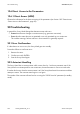
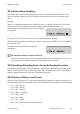


Table Of Contents
- 1 Information on this Manual
- 2 Sunny Island 4548-US/6048-US
- 3 Safety Precautions
- 4 Assembly
- 5 Opening and Closing
- 6 Electrical Connection
- 7 Control Elements
- 8 Initial Start-Up
- 9 Switching On and Off
- 10 Operation
- 11 Archiving Data on an SD Card
- 12 Additional Functions
- 12.1 Load Shedding
- 12.2 Sleep Mode
- 12.3 Time-Controlled Operation
- 12.4 Overload and Short-Circuit Behavior
- 12.5 Mixed Operation with Sunny Island inverters of Different Power
- 12.6 Device Faults and Autostart
- 12.7 Automatic Frequency Synchronization
- 12.8 Time-Controlled Standby
- 12.9 Behavior in the Event of a Failure in a Three-Phase System
- 13 Battery Management
- 14 Connecting External Sources
- 14.1 Generator
- 14.1.1 Parallel Connection
- 14.1.2 Generator Start Options
- 14.1.3 Generator Operation
- 14.1.4 Manual Generator Operation
- 14.1.5 Automatic Generator Operation
- 14.1.6 Limits and Power Control
- 14.1.7 Run Times
- 14.1.8 Operation Together with PV Inverters and Wind Power Inverters
- 14.1.9 Stopping the Generator
- 14.1.10 Stopping the Sunny Island
- 14.1.11 Disturbances
- 14.2 Grid
- 14.2.1 Limits of the Voltage Range and Frequency Range
- 14.2.2 Starting the Sunny Island
- 14.2.3 Operation in the Event of Grid Failure in a Grid-Tie Backup Configuration
- 14.2.4 Backup Operation and Anti-Islanding
- 14.2.5 Grid Reconnection
- 14.2.6 Grid Operation
- 14.2.7 Grid Failure
- 14.2.8 Disturbances
- 14.2.9 Limits and Power Control
- 14.2.10 Operation Together with PV Inverters and Wind Power Inverters
- 14.3 Generator and Grid
- 14.1 Generator
- 15 Relays
- 16 Multicluster Operation
- 16.1 Communication between the Sunny Island inverters
- 16.2 Initial Start-Up of the Multicluster System
- 16.3 Switching a Multicluster System On and Off
- 16.4 Generator Operation
- 16.5 Behavior with Different States of Charge
- 16.6 Testing the Multicluster Communication
- 16.7 Automatic Frequency Synchronization
- 16.8 Updating the Firmware
- 16.9 Error Handling in the Multicluster System
- 16.10 Grid Operation
- 16.11 Generator Emergency Operation
- 17 PV Inverters
- 18 Maintenance and Care
- 19 Parameter Lists
- 20 Troubleshooting
- 21 Accessories
- 22 Technical Data
- 23 Glossary
- 24 Contact

SMA America, LLC 20 Troubleshooting
Technical description SI4548_6048-US-TB_en-13 205
20.3 Master-Slave Handling
Each device detects the errors separately and saves them. The slaves transmit their errors to the
master. The master collects these error messages and enters the slave errors as warnings into its
history.
Example:
Slave 1 has detected overtemperature. It enters this error in its history and reports it to the master,
which also enters it as a warning into its failure history ("Menu 420# Failure History").
The following message appears in the lower display line
on the master.
If warning 138 is still active on slave 1, the Enter symbol appears at the end.
After the warning has been confirmed on the master by pressing the <ENTER> key, it is forwarded to
the respective slave.
The master shows the following message after
confirmation.
20.4 Handling of Pending Errors during the Booting Procedure
During the booting procedure, all pending failures are generally confirmed without an entry being
made in the history. Thus, an error that is still present after the booting procedure is re-recorded or
when it is detected that this error has left, is recorded as having left.
20.5 Display of Failures and Events
Each error and each event has a unique three-digit display number that is created according to the
parameter/measuring value assignment. The events and failures have the identical numerical range:
• 1xx ‒ INV ‒ Inverter
• 2xx ‒ BAT ‒ Battery
• 3xx ‒ EXT ‒ External
• 4xx ‒ GEN ‒ Generator
• 5xx ‒ GRD ‒ Grid
• 6xx ‒ RLY ‒ Relay
• 7xx ‒ SYS ‒ System
• 8xx ‒ AUX ‒ External devices and components
No comparison between master and slave
The error and event memory are not compared between the master and slaves. The errors of
the slave device are confirmed when the Sunny Island system is restarted.