
Operation Manual


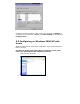


• Click the Details item.
• Choose the “PRTmate: (All-in-1)” from the list attached at the
Print To item. Be sure that the Printer Driver item is configured
to the correct driver of your server printer.
• Click on the button of Port Settings.
• Type in the IP address of this product and then click the OK but-
ton.
• Make sure that all settings mentioned above are correct and then
click the OK button.
5.2 Configuring on Windows NT platforms
The configuration procedure for a Windows NT platform is similar to that
of Windows 95/98 except the screen of printer Properties.