
User's Manual




Chapter 2. Installing and Set Up
2-8
7.Replace the ink ribbon for L side same
procedures as R side.
8. Insert the cassette to the original position, and
confirm the Eject Lever is locked,
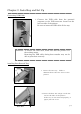
9. Return the position of Upper unit open
Lever
to
the locked position.
10. Close the front cover.
In case Paper and Ribbon are set and the
front cover is closed, initial operation is to be
started automatically. And printer becomes
ready status to print.
Upper Unit Open Handle