
User's Manual




Chapter 2. Installing and Set Up
2-5
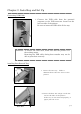
Connecting USB Cable
1. Connect the USB cable from the personal
computer to the USB connector located on the
left rear side of the printer.
Be sure to insert the USB cable all the way.
Installing Dust Box and Tray
1. Insert the exit tray. Slide it
downward into the four slots on the
printer.
2. Insert the dust box. Align it with the
rail on the side of the printer.
If the tray is not inserted properly, a
paper jam can occur.
Dust Box
Tray
Attention: To remove the USB cable, make sure that the printer is in
the waiting status.
Removing the USB cable during data transfer may not be
able to print data correctly.